
Step 1
Upload the Photo With Glare
Start with a JPG, PNG, or WebP that has glasses glare, flash glare, sun flare, shiny product reflection, or scanned photo glare.
Use this tool to remove image glare from glasses, flash spots, sun flare, shiny product reflections, and scanned photo glare. It is built for photos that are worth saving but do not need a full manual Photoshop session. No manual masks, no reshoot, and no heavy retouching workflow. The goal is to reduce distracting glare while keeping the original light, color, skin texture, product material, or paper grain believable.
Drag an image here or choose a photo with glasses glare, flash spots, sun flare, or reflections.
Upload up to 10 glare-affected images at once. PNG, JPG, and WebP supported.
Output format
 AI glare cleanup
Remove image glare from eyeglass lenses while keeping the frame, eyes, skin texture, and catchlights natural.
The flow is built for speed, but the preview step matters. Check whether the cleaned area still looks believable.
Start with a JPG, PNG, or WebP that has glasses glare, flash glare, sun flare, shiny product reflection, or scanned photo glare.
AI locates the bright reflection, compares it with nearby texture, and estimates a balanced repair. Fully blown-out areas are harder.
Review the before and after result, make sure the photo still feels natural, then download or use it as a first pass.
The workflow focuses on profile photos, product images, travel shots, and old scans where one bright reflection damages an otherwise useful picture.
The hard part of glasses glare is keeping the eyes, lenses, and frame believable afterward. This remove image glare workflow is planned to reduce window blocks, ring-light arcs, and small reflections while preserving catchlights, skin texture, and lens edges. It is useful for headshots, team pages, resumes, and profile photos.
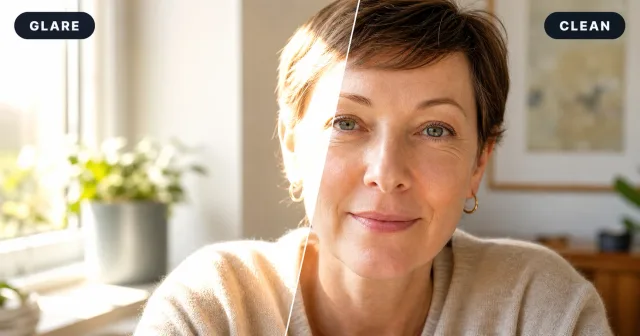
A quick darkening pass can make a photo dull. The better goal is local balance: reduce hot spots, soften washed-out daylight, keep shadow depth, and avoid turning warm outdoor scenes gray. Use this AI glare remover for shiny forehead highlights, cheek glare, sun flare, or small blown-out patches.
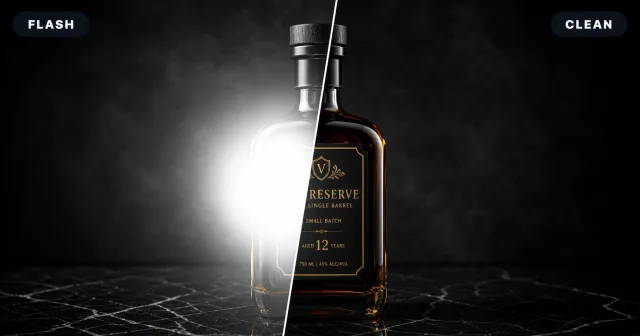
Glossy bottles, glass, metal, plastic packaging, framed art, and polished tables catch flash glare. The material should still look reflective, just not blown out. Remove flash glare carefully so labels, edges, color, and finish remain visible.
Glasses reflections, flash spots, glossy product highlights, and sun flare can hide the parts that matter. ZEnhancer helps remove image glare while keeping skin, texture, color, and mood natural—no Photoshop layers, no manual masking, no reshoot.
Fix Glare Now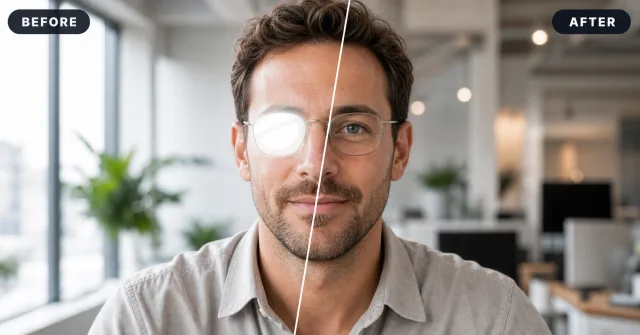
Built for headshots, portraits, product photos, travel shots, and everyday fixes.
GlareCleanWindow reflections and ring lights often land right across the lenses. Clean them up while keeping the frames, eye detail, skin tone, and natural catchlights intact—useful for LinkedIn headshots, resumes, team pages, and remote-work profiles.
GlareCleanBright spots on skin or glasses can make selfies feel harsh and overexposed. Reduce those distractions while keeping the face real, textured, and warm, so your profile photo looks polished without the fake airbrushed finish.
GlareCleanGlossy bottles, packaging, jewelry, plastic, and glass can pick up hard white spots that hide labels and edges. Remove image glare from product photos while preserving controlled reflections, material texture, and the premium look buyers expect.
 GlareClean
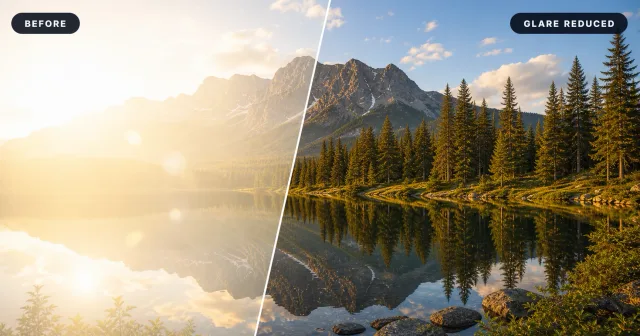
Outdoor photos need balance, not a flat gray fix. Reduce washed-out sunlight, lens flare, and bright haze while keeping the golden-hour warmth, tree detail, skin tone, and travel atmosphere that made the shot worth saving.

The page is organized around local light repair, format support, and realistic limits.
Upload a photo with harsh glare, compare the cleaned result, then continue with enhancement or upscaling when needed.
Explore focused AI photo tools for cleanup, upscaling, sharpening, and restoration. Each one helps you move from a tired image to a cleaner result without complicated editing software.

Use AI Photo Enhancer when your image looks dull, noisy, or low quality. It improves clarity, lighting, color, and fine details for portraits, travel photos, product images, and everyday pictures.
Try Photo Enhancer
Make small or low-resolution images larger for printing, sharing, product pages, wallpapers, and family albums. ZEnhancer upscales photos while keeping edges cleaner and details more natural.
Try Image Upscaler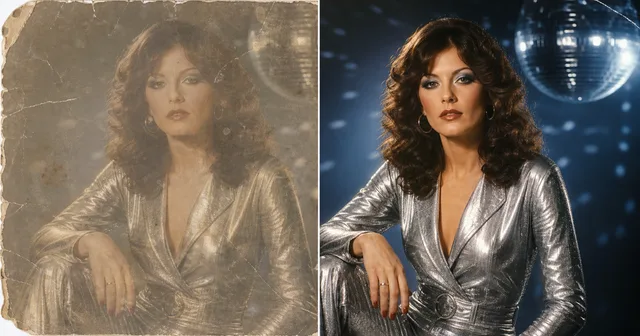
Use photo restoration for scratched, faded, torn, or stained images. ZEnhancer repairs visible damage, recovers lost contrast, sharpens faces, and prepares old photos for sharing, archiving, or printing.
Restore Photo
Cut out products, portraits, avatars, logos, pets, objects, and marketing images with AI. Export transparent PNG or WebP cutouts, or place the subject on white or branded backgrounds.
Try Background Remover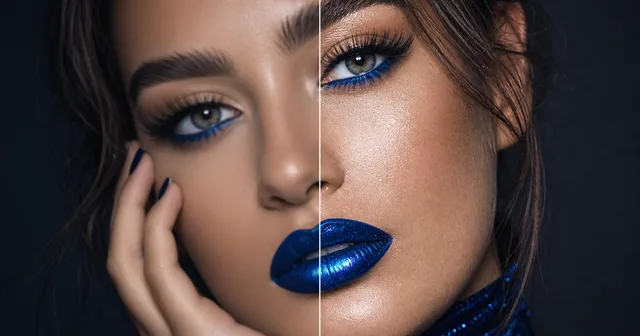
Use Sharpen Image when a photo is not badly blurred but still lacks crisp detail. Improve edges, textures, facial details, pet photos, product shots, and screenshots with a cleaner finish.
Start Sharpen ImageThese examples focus on practical fixes where glare made an otherwise good image hard to use.

Photographer
"I still prefer to avoid glare in camera, but sometimes a client picks the best expression. A remove image glare pass gives me a workable draft."

Online seller
"Glossy packaging catches flash no matter how careful I am. Cleaning the bright spot first helps me decide whether to enhance and upload."

Remote worker
"My best profile photo had window glare in my glasses. I wanted enough cleanup so people could see my eyes."
Photographer
"I still prefer to avoid glare in camera, but sometimes a client picks the best expression. A remove image glare pass gives me a workable draft."
Online seller
"Glossy packaging catches flash no matter how careful I am. Cleaning the bright spot first helps me decide whether to enhance and upload."
Remote worker
"My best profile photo had window glare in my glasses. I wanted enough cleanup so people could see my eyes."
Photographer
"I still prefer to avoid glare in camera, but sometimes a client picks the best expression. A remove image glare pass gives me a workable draft."
Online seller
"Glossy packaging catches flash no matter how careful I am. Cleaning the bright spot first helps me decide whether to enhance and upload."
Answers about glasses glare, sun flare, flash spots, formats, quality limits, and manual editing.
Upload the photo, let AI locate the reflection, preview the repair, and download the cleaned image. Check important detail closely.