
Step 1
Upload Your Image
Choose a JPG, PNG, or WebP that you own or are allowed to edit. The image watermark remover interface supports preview marks, text overlays, sample stamps, and corner badges.
Use this image watermark remover when a useful photo is blocked by preview marks, sample stamps, logo patterns, corner badges, or text overlays. Upload a picture, review the cleanup area, and prepare a cleaner version without opening a manual editor.
Drag an image here or choose a photo with preview marks, sample stamps, logos, or text overlays.
Upload up to 10 authorized images at once. JPG, PNG, and WebP supported.
Output format
 AI watermark cleanup
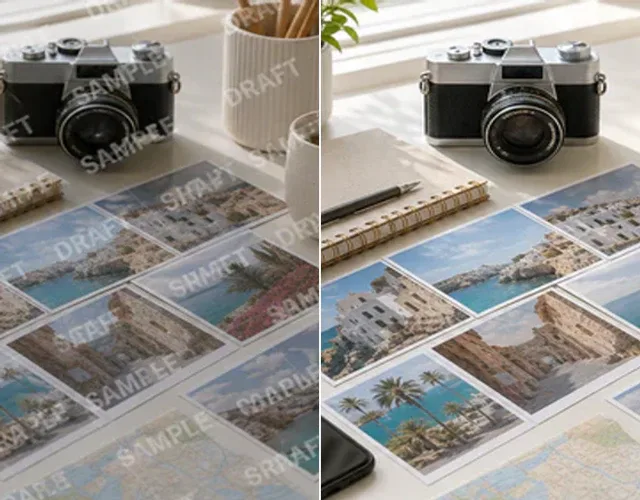
Clean diagonal PREVIEW or SAMPLE marks that run across travel, lifestyle, and stock-style photos. The image watermark remover blends covered areas back into the scene so background lines, shadows, and small textures still feel natural.
The flow gives non-designers a practical way to test a cleanup job before deciding whether a deeper manual edit is needed.
Choose a JPG, PNG, or WebP that you own or are allowed to edit. The image watermark remover interface supports preview marks, text overlays, sample stamps, and corner badges.
AI reviews the marked area, estimates surrounding texture, and rebuilds covered pixels. Faint transparent marks are usually easier than opaque stamps on faces or fine type.
Compare the before and after image, check edges and texture, then download. If the mark hid critical detail, use the result as a draft.
The page is designed around common cleanup jobs: preview images, sample drafts, seller assets, and client-approved pictures that need a clean export.
Clean diagonal PREVIEW text, repeated sample patterns, faint lines, date marks, corner badges, and semi-transparent overlays on images you own or have permission to edit.
Target marks placed over the photo while preserving the original subject, crop, lighting, shadows, colors, and surrounding detail for catalogs, decks, drafts, and approved assets.
Rebuild covered texture where detail is recoverable, then preview and export JPG, PNG, or WebP directly from the browser without opening a heavy editing suite.
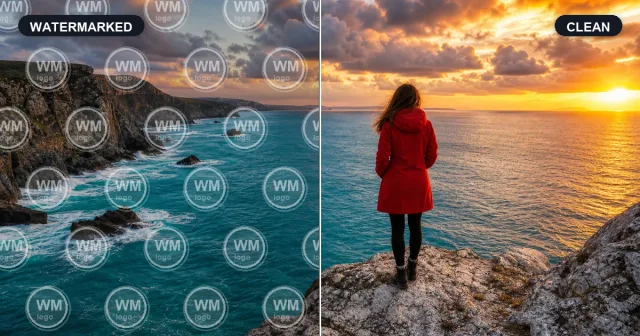
Compare common watermark cleanup cases before and after AI editing. ZEnhancer handles diagonal preview marks, center sample stamps, tiled logo patterns, and corner badges while keeping backgrounds and small details believable. Use the image watermark remover only on images you own, created, licensed, or have permission to edit.
Remove Watermark Now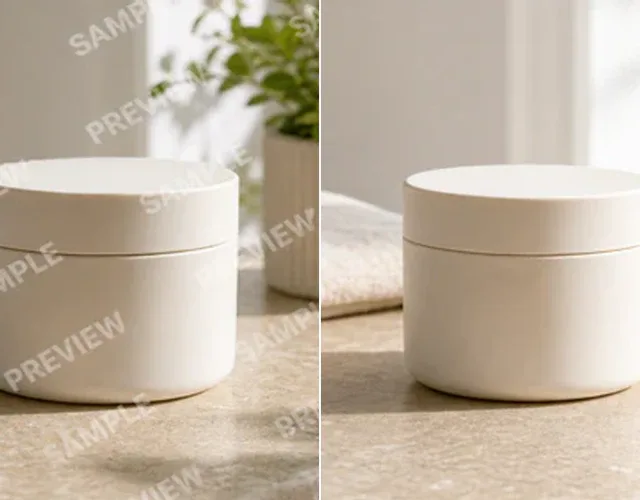

Made for creators, online sellers, designers, and everyday authorized photo cleanup.
Clean diagonal PREVIEW or SAMPLE marks that run across travel, lifestyle, and stock-style photos. The image watermark remover blends covered areas back into the scene so background lines, shadows, and small textures still feel natural.
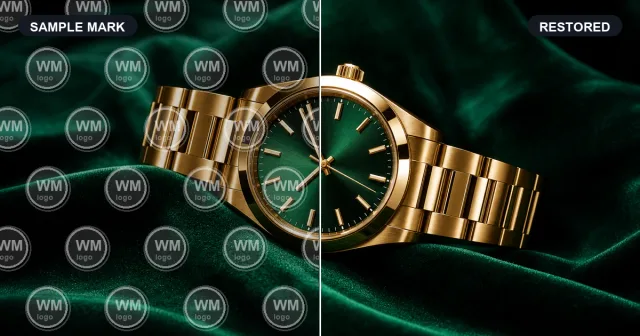
Large sample stamps often sit on the most important part of the image. Remove them from product shots, interior photos, and approved mockups while avoiding the blurry patch look that makes edits obvious.
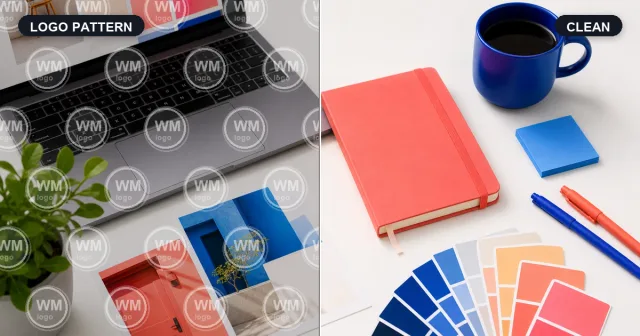
Clear tiled watermark patterns from design references, draft mockups, and licensed assets. ZEnhancer targets the repeated marks while preserving the canvas, paper texture, product edges, and objects underneath.
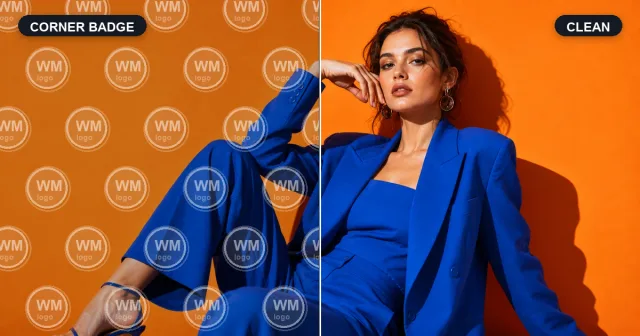
Remove visible corner badges or creator labels when you have the right to edit the image. Rebuild nearby fabric, shadows, edges, and background detail so the result looks clean instead of cropped, smeared, or covered up.

The feature list stays practical: common formats, common watermark types, and output for the next photo workflow step.
Upload an owned or authorized image, check the cleanup preview, then continue with enhancement, upscaling, or restoration.
Explore focused AI photo tools for cleanup, upscaling, sharpening, and restoration. Each one helps you move from a tired image to a cleaner result without complicated editing software.

Use AI Photo Enhancer when your image looks dull, noisy, or low quality. It improves clarity, lighting, color, and fine details for portraits, travel photos, product images, and everyday pictures.
Try Photo Enhancer
Make small or low-resolution images larger for printing, sharing, product pages, wallpapers, and family albums. ZEnhancer upscales photos while keeping edges cleaner and details more natural.
Try Image Upscaler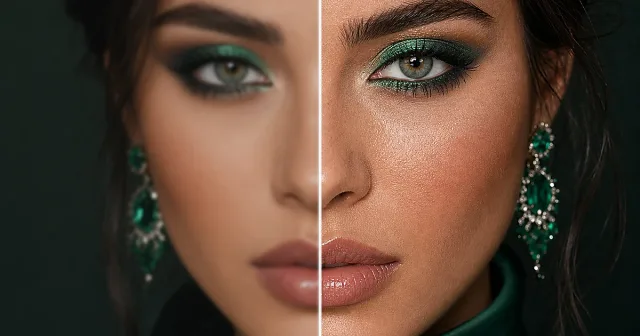
Use Sharpen Image when a photo is not badly blurred but still lacks crisp detail. Improve edges, textures, facial details, pet photos, product shots, and screenshots with a cleaner finish.
Start Sharpen Image
Cut out products, portraits, avatars, logos, pets, objects, and marketing images with AI. Export transparent PNG or WebP cutouts, or place the subject on white or branded backgrounds.
Try Background Remover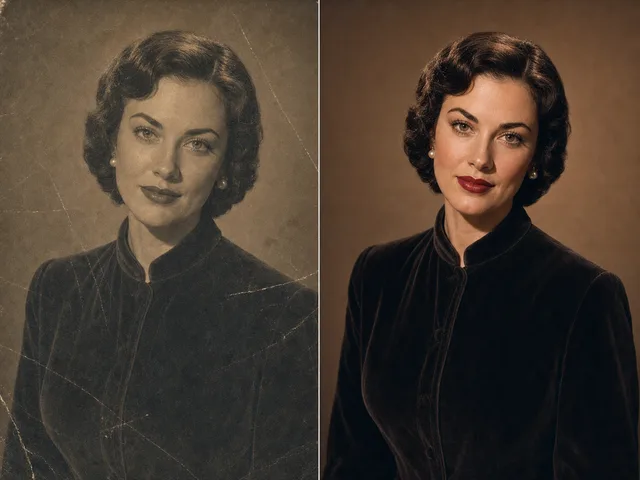
Use photo restoration for scratched, faded, torn, or stained images. ZEnhancer repairs visible damage, recovers lost contrast, sharpens faces, and prepares old photos for sharing, archiving, or printing.
Restore PhotoThese examples show normal editing jobs, not promises that every covered pixel can be recovered.

Online seller
"Licensed supplier previews sometimes arrive with corner marks. A simple image watermark remover flow helps me check whether the photo is worth preparing."

Freelance designer
"For client drafts, I do not always need a full Photoshop pass. Cleaning a sample stamp lets me judge layout and texture quickly."

Content creator
"My older planning images had draft text and date labels. Cleanup helps me decide what to reuse, enhance, or archive."
Online seller
"Licensed supplier previews sometimes arrive with corner marks. A simple image watermark remover flow helps me check whether the photo is worth preparing."
Freelance designer
"For client drafts, I do not always need a full Photoshop pass. Cleaning a sample stamp lets me judge layout and texture quickly."
Content creator
"My older planning images had draft text and date labels. Cleanup helps me decide what to reuse, enhance, or archive."
Online seller
"Licensed supplier previews sometimes arrive with corner marks. A simple image watermark remover flow helps me check whether the photo is worth preparing."
Freelance designer
"For client drafts, I do not always need a full Photoshop pass. Cleaning a sample stamp lets me judge layout and texture quickly."
Short answers about formats, legal use, watermark types, quality limits, and related tools.
An image watermark remover reduces preview marks, sample stamps, text overlays, or generic logo patterns from images you own or can legally edit.